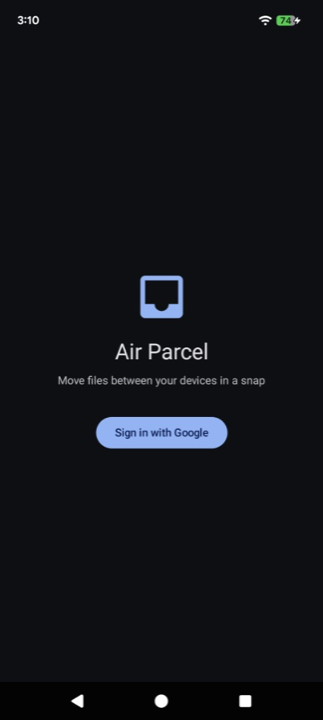
Air Parcel
Move files and text between your devices in a snap
The Apple Silicon Mac app is signed and notarized. The Intel Mac build is not, so macOS may block the first launch; if it does, open System Settings → Privacy & Security and click "Open Anyway".
On Windows, if a SmartScreen warning appears, choose "More info" → "Run anyway".
What is Air Parcel?
Air Parcel is an app for sending files and text like small parcels between devices signed in with the same Google account. Send a photo from your phone to your computer, or a URL or note from your computer to your phone. No cables, no setup — just press "Send" and it arrives on your other device.
What makes Air Parcel different
Nearby peer-to-peer transfer tools rely on Bluetooth discovery and often the same Wi‑Fi environment, and devices sometimes fail to find each other. Air Parcel delivers files over the internet, so Bluetooth and the same Wi‑Fi are unnecessary — you can easily send files and text.
- No Bluetooth connection required
- No need to be on the same Wi‑Fi or nearby
- No cables and no complicated pairing
- Works across iPhone, Android, Mac, and Windows
- Just sign in with the same Google account to get started
Features
- Sign in with your Google account and start using it right away
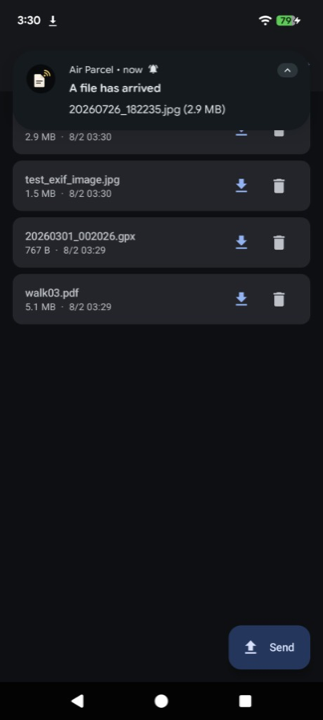
- When you send a file or text, your other devices get notified (iPhone and Android)
- Send text as well as files — URLs, notes, and snippets between your devices
- Copy or edit text after it arrives
- On Android, share files, URLs, and notes from other apps
- The desktop version also supports sending files via drag & drop
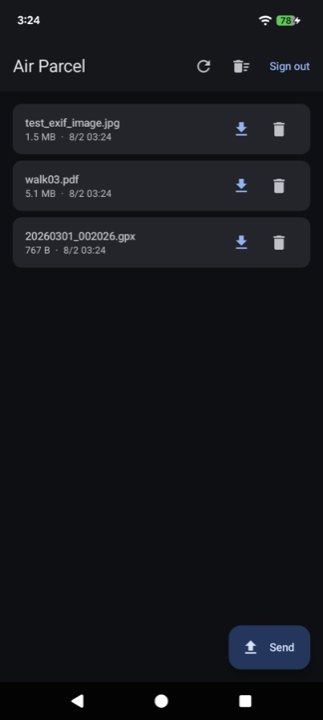
- Save received files anywhere you like, then remove them from the list
- Delete files individually or all at once
Where your data is stored
Files and text you send are stored only in a private app-specific area inside your own Google Drive, not on Air Parcel's servers. Only Air Parcel can access this area — it can never read or modify any other files in your Drive. You can delete transferred files and text at any time. See the Privacy Policy for details.
Supported platforms
- iPhone app (App Store)
- Android app (Google Play)
- Desktop app for Mac / PC
Screenshots